
Take charge of your crypto with Ledger’s self-custody solutions
Understanding Self-Custody and Why It Matters
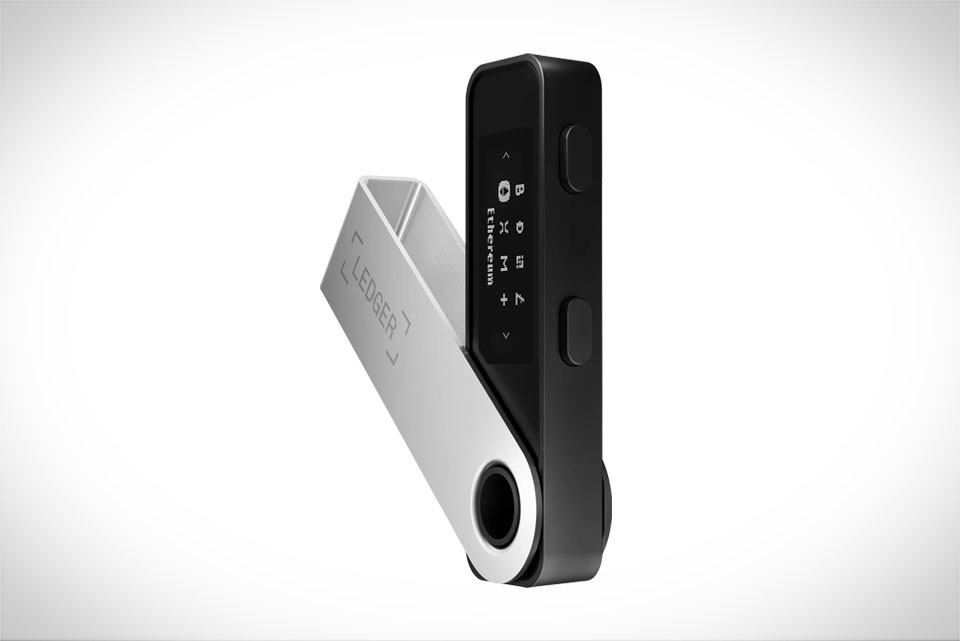
Self-custody means you hold full control over your digital assets, rather than trusting a third party like an exchange to safeguard your funds. For many new crypto users, this concept feels intimidating, but it’s critical—exchanges have been hacked or gone bankrupt, leaving users stranded. Take the 2014 Mt. Gox collapse, where over 850,000 Bitcoin vanished because the platform’s central control failed. Ledger solves this by giving you a physical hardware wallet that stores your private keys offline, so hackers can’t access them remotely. This is the foundation of safe self-custody, and Ledger makes it accessible even for beginners who have never handled crypto before.
Getting Familiar with Your Ledger Device
When you first get a Ledger Nano S or Nano X, start by unboxing the device, charging it (if needed), and opening the Ledger Live app on your computer or phone. The app will guide you through initial setup: creating a 4-8 digit PIN (never share this with anyone), and writing down your 24-word recovery phrase on a physical card—this is your lifeline if the device is lost or broken. A common mistake here is saving the phrase to a notes app or cloud storage; in 2022, a user lost $120,000 because their recovery phrase was stolen from a hacked Google account. Always store the phrase in a secure, offline place like a safe or locked drawer, not anywhere connected to the internet.
Setting Up Your First Digital Asset Account
Once your Ledger is set up, open Ledger Live and navigate to the “Accounts” tab. Click “Add Account” and choose a cryptocurrency like Bitcoin, Ethereum, or Solana. The app will prompt you to connect your Ledger device and open the corresponding crypto app (you can download these apps for free in Ledger Live). For example, to add Bitcoin, install the Bitcoin app on your Ledger via Ledger Live. Once connected, you’ll see a unique receiving address—double-check this address on your Ledger device screen (not just the app) to avoid typos. In 2021, a new user sent $50,000 to a mistyped Ethereum address that didn’t exist, a mistake that’s irreversible, so verifying the address is non-negotiable for every transaction.
Best Practices for Long-Term Self-Custody
Self-custody isn’t a one-time setup—it needs ongoing care. First, update your Ledger firmware regularly; Ledger releases security patches to fix vulnerabilities, and skipping updates can leave your device at risk. Avoid connecting your Ledger to public Wi-Fi or untrusted computers, as these might have malware that steals data. Don’t share your PIN or recovery phrase with anyone, even if someone claims to be Ledger support—real support will never ask for these details. Also, consider diversifying your holdings across multiple Ledger devices if you have large amounts; a user I know split their crypto between two Nano X devices in 2023, so when one device’s battery died, they still had access to half their funds via the other. Finally, test your recovery phrase every 6-12 months to make sure you can actually restore your assets if needed—this simple step prevents panic when something goes wrong, and it takes just a few minutes in Ledger Live.







