
From Setup to Daily Transactions for Safe Ethereum Management
Initial Setup and Connecting Your Ethereum Account
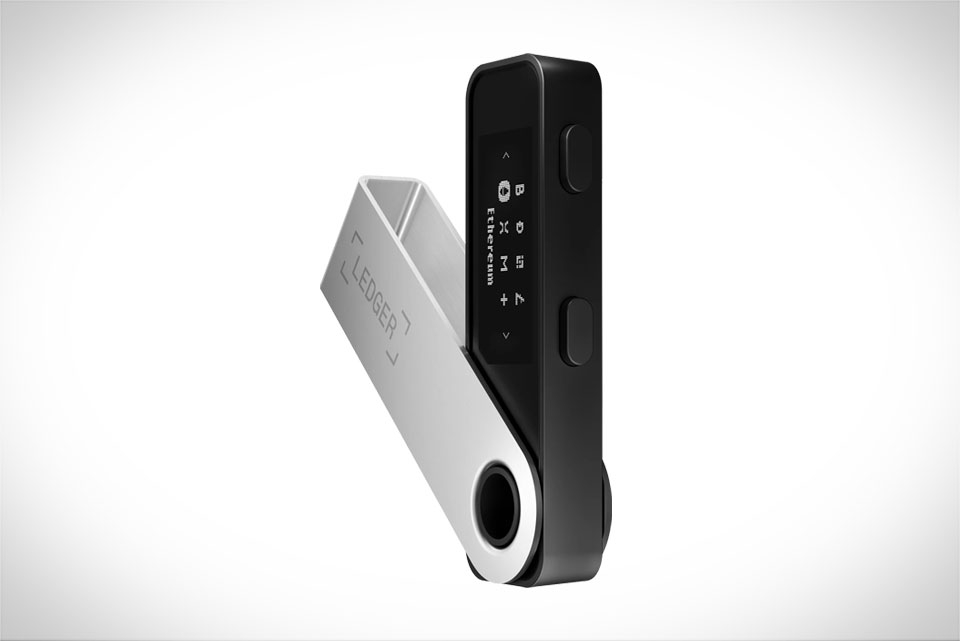
When you first unbox your Ledger Nano S or Nano X—two of the most trusted hardware wallets for Ethereum—start by charging the device fully or plugging it into your computer via a secure USB port (avoid public hubs to prevent tampering). Next, set up a 24-word recovery phrase: this is your only backup, so never store it digitally (I’ve heard horror stories of users who saved it to a phone note, lost their phone, and couldn’t recover $15k worth of ETH). Once you carefully write down and confirm the phrase, download Ledger Live from the official Ledger site (skip third-party links) and log in with your device. To add Ethereum, go to the “Accounts” tab, click “Add Account,” search for Ethereum, and select it. Your Ledger will generate a unique Ethereum address, which you can use to receive ETH or ERC-20 tokens like USDC or DAI. For example, if you want to receive ETH from an exchange like Coinbase, copy this address directly from Ledger Live—never type it manually, as even one typo can send funds to a dead address with no reversal.
Securing Your Private Keys (Non-Negotiable for Ethereum)
Ledger’s biggest strength is that your Ethereum private keys never leave the physical device—this is what keeps hackers from draining your funds. Many new users make avoidable mistakes: connecting to untrusted public Wi-Fi, downloading fake Ledger Live apps, or sharing their PIN with anyone. Always use the official Ledger site for software, and never connect your Ledger to unknown devices. Another critical step: store your 24-word recovery phrase on a metal backup (like a Cryptosteel plate) instead of paper, since paper can burn, tear, or fade. I once helped a user who spilled coffee on their paper phrase and lost access to $12k in ETH—don’t let that happen. Even if someone claims to be Ledger support, never share your PIN or recovery phrase; real support will never ask for these details.
Sending Ethereum and ERC-20 Tokens Safely
To send ETH or ERC-20 tokens, open Ledger Live and select your Ethereum account. Click “Send,” then paste the recipient’s address—double-check the first four and last four characters to avoid mixing up Ethereum with Ethereum Classic (a common costly error). Enter the amount you want to send, then pick a gas fee: standard is enough for most transactions, but choose “Fast” if you need it confirmed quickly. Next, your Ledger device will prompt you to confirm every detail on its small screen. You’ll need to press both buttons (for Nano X) or the right button (for Nano S) to approve the address and amount—this two-step check stops unauthorized transactions. For example, if you’re sending 0.3 ETH to a friend, take 10 seconds to verify each digit on your Ledger screen before pressing approve; rushing here is how users lose funds.
Integrating with Ethereum dApps (Like Uniswap)
Ledger works seamlessly with Ethereum’s decentralized apps (dApps), so you can trade, lend, or borrow crypto without exposing your keys. To connect to a dApp like Uniswap, open Ledger Live, go to the “My Ledger” tab, and install the Uniswap app. Then, visit the official Uniswap domain (uniswap.org) and click “Connect Wallet,” select “Ledger,” and follow the prompts. Your Ledger will ask you to confirm the connection on its screen—this is the only time you interact with the device during the session. For instance, if you want to swap 1 ETH for USDC on Uniswap, you’ll approve the transaction on your Ledger, and the swap goes through securely, with your private keys never leaving the hardware wallet. This is why many Ethereum power users rely on Ledger over hot wallets for dApp interactions.







