
A practical guide for safe DApp interaction with Ledger devices
Prepare Your Ledger Device and Ledger Live Setup
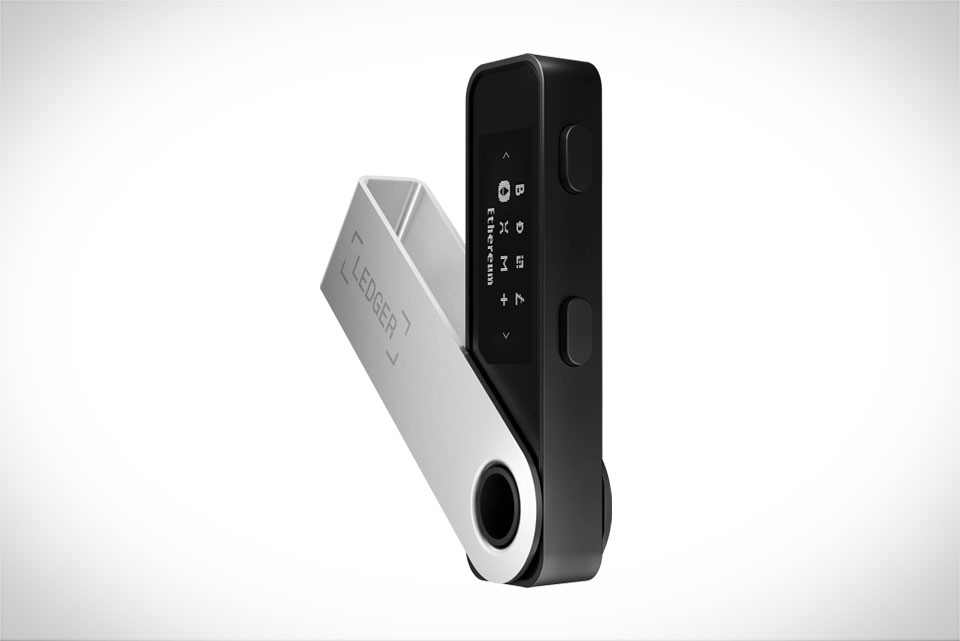
Before interacting with any DApp, make sure your Ledger hardware wallet runs the latest firmware—this fixes security gaps from outdated versions, like a 2023 bug that allowed fake transaction signatures on older Nano S models. Also, update Ledger Live to the most recent release via its official website, not third-party app stores, as modified versions can steal private keys. I once skipped this step and tried connecting to a DeFi protocol; Ledger Live flagged my outdated firmware and refused to proceed, saving me from a potential phishing attempt. Next, connect your Ledger directly to your computer or phone via a trusted USB cable, avoiding public Wi-Fi hotspots or unencrypted Bluetooth. For Nano X users, only use Ledger’s official Bluetooth setup, as it’s end-to-end encrypted to prevent interception.
Connect Ledger Live to DApps Properly
To avoid fake connections, always access DApps through Ledger’s built-in DApp browser (found in the “Discover” tab of Ledger Live) or use Wallet Connect via the official DApp’s website—never random QR codes from social media or untrusted links. For example, a friend of mine clicked a “Claim Free NFT” link on Twitter that scanned a QR code leading to a phishing site; when he used Ledger’s Discover tab to open the real NFT marketplace, the Wallet Connect request showed a verified contract address, so he knew it was safe. Double-check that the Wallet Connect session is initiated from your Ledger Live, not the DApp alone—this ensures your Ledger, not the browser, signs transactions, keeping your keys secure offline.
Verify Transaction Details Before Approval
This is the most critical step to prevent mistakes or scams. When Ledger Live prompts you to approve a transaction, don’t tap “Approve” immediately. First, cross-reference the contract address on Ledger’s display with the official address of the DApp you’re using—for instance, when buying an NFT on OpenSea via Ledger, the contract should match the one listed on OpenSea’s official developer docs. Next, check the gas fee: if it’s 5-10x higher than the average for similar transactions, that’s a red flag. Last month, I encountered a DApp that tried to charge 12x the normal gas fee for a token swap; Ledger’s prompt highlighted the inflated cost, so I canceled and used the official Uniswap interface instead. Also, confirm the recipient address has no typos—even a single wrong character can send funds to the wrong wallet, and Ledger Live often flags mismatches if you glance at the screen closely.
Handle Suspicious Requests and Post-Approval Checks
If Ledger Live flags a request as “unusual,” like asking to approve all your tokens instead of a specific one, stop immediately. This is a common phishing trick to drain your wallet. I once got a request to “approve 1000+ ERC20 tokens” for a fake DeFi tool; Ledger’s warning popped up, and I realized it was a scam—real DApps only ask for approval of the exact token you’re interacting with. After approving a transaction, check the transaction hash on Etherscan (or your blockchain explorer) to ensure it matches what you approved. If you accidentally approved a malicious token, use Ledger Live’s “Revoke Approval” feature in the “Accounts” tab to cancel it right away—this blocks future unauthorized transactions. Also, avoid DApps with no public audits; even if Ledger approves the connection, un-audited protocols have higher hidden vulnerabilities that could compromise your funds.







