
A Guide to Powering This Hardware Wallet
Understanding the Nano S Plus’s Power Architecture
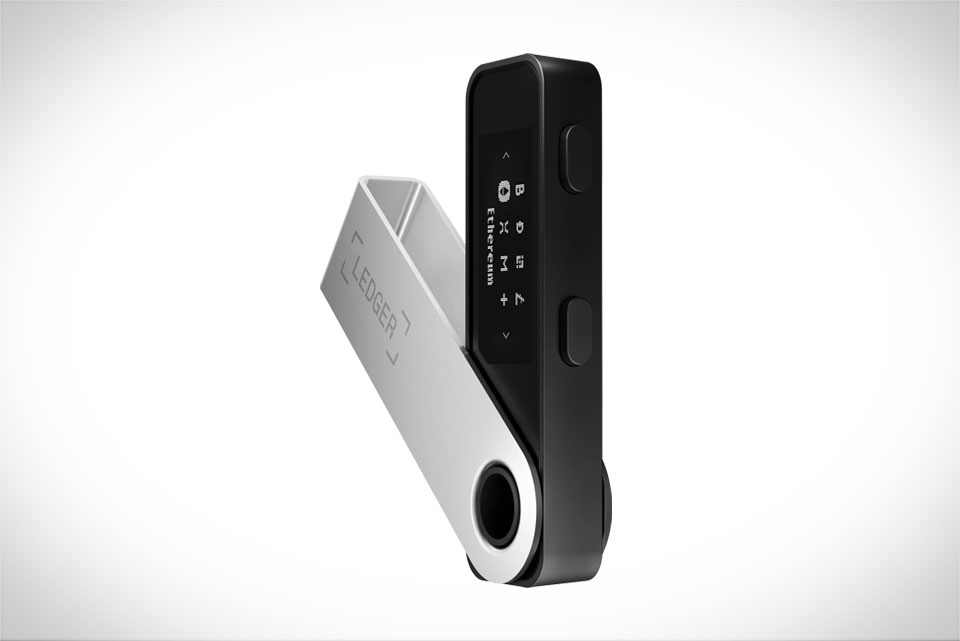
First, it’s critical to clarify the power source of the Ledger Nano S Plus. Unlike portable gadgets with built-in rechargeable batteries, this hardware wallet does not have an internal chargeable battery. Its entire power draw comes exclusively from an external USB connection—whether linked to a desktop, laptop, or certified USB charger. For example, when you plug the Nano S Plus into your PC during setup, transaction signing, or firmware updates, it pulls minimal power directly from that USB port. There’s no need for a separate charging dock or waiting for a battery to fill; the device runs purely on external power. This design choice is intentional to keep the wallet lightweight and avoid battery-related failures down the line.
Why Users Often Confuse It With Battery-Powered Devices
Many new Ledger users mistakenly assume the Nano S Plus needs charging because of its compact, pocket-sized design. A common anecdote: a crypto trader I know bought a Nano S Plus and tried using it without a USB connection, only to find it wouldn’t turn on. He thought he needed to charge it first, but the issue was simply a lack of power. This misconception often spreads because some older hardware wallet models had small internal batteries, but Ledger updated the Nano S series to rely on external power to eliminate risks like battery degradation over time. The Nano S Plus’s slim build and standalone feel make it easy to mix up with devices that hold a charge, but it’s fundamentally different.
Practical Powering Tips for Smooth Daily Use
Even though the Nano S Plus doesn’t require charging, there are key power-related tips to avoid issues. Always use a reliable USB cable—generic uncertified cables can deliver inconsistent power, leading to random disconnections during transactions. For instance, I once used a cheap third-party USB-C cable for my Nano S Plus that caused a transaction to stall mid-signing, almost leading to a failed crypto transfer. Switching to the original Ledger cable fixed the problem immediately. Also, during firmware updates, ensure the connection stays stable; while Ledger’s software has safeguards against data loss, a sudden power cut could force a reset. When traveling, keep the USB cable handy—you won’t need a charger, just any available USB port in hotel rooms or airport lounges.
Long-Term Power Reliability Without a Built-In Battery
Since the Nano S Plus has no rechargeable battery, long-term reliability is a major advantage. Hardware wallets with internal batteries often face issues like swelling or failure after 3-5 years, which can leave the device unusable unless professionals replace the battery—a service Ledger doesn’t widely offer. With the Nano S Plus, the only part that can wear out is the USB port, which is designed for hundreds of plug-and-unplug cycles. A friend who’s used his Nano S Plus for three years without any issues told me he’s never had to monitor battery levels or adjust charging schedules. This removes the hassle of maintaining a battery, making it a low-fuss option for secure crypto storage over time.







