
A practical fit for beginners learning to control their crypto
Simple Setup That Anyone Can Do In 10 Minutes
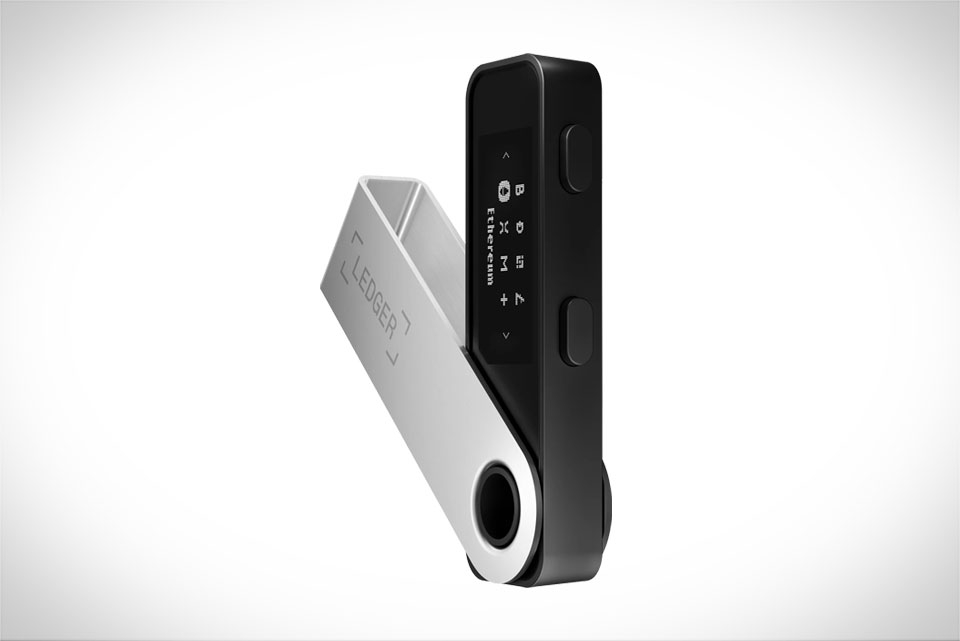
When I first dipped my toes into crypto three years ago, I was paralyzed by fear of messing up my wallet keys and losing everything I’d invested. The Ledger Nano S Plus changed that immediately because its setup is so straightforward—no coding, no confusing jargon, no tech degree required. You just plug it into your phone or laptop via USB, download the Ledger Live app, and follow the clear on-screen prompts. The app walks you through writing down your 24-word recovery phrase on a physical, tamper-resistant card, and it even double-checks that you wrote each word correctly to avoid costly mistakes. A friend of mine tried a different hardware wallet last month and got stuck mid-setup on a vague seed phrase step, but with the Nano S Plus, he had it fully set up and ready to use before his morning coffee. There’s no hidden menu or overwhelming settings; every action is labeled plainly, which is exactly what entry-level users need when they’re still figuring out the basics of crypto ownership.
Robust Security That Doesn’t Feel Like Overkill
Security is the top worry for new self-custodians, and the Nano S Plus hits the perfect balance between protection and ease. It stores your private keys completely offline, so they never touch the internet—this means no hacker can siphon them remotely, unlike software wallets that get targeted by phishing scams daily. The device only connects to Ledger Live when you explicitly approve it, so fake crypto emails or sketchy websites can’t access your funds. Last year, a scam email tried to trick me into sharing my seed phrase, but since my keys are locked on the Nano, there was nothing to steal. It also has a small built-in screen to confirm every transaction, so you never accidentally send coins to a wrong or malicious address. For someone new to crypto, this level of security doesn’t demand you become a cybersecurity expert; it works quietly in the background, keeping your assets safe without extra effort.
Supports Top Cryptos Without Extra Hassle
Entry-level investors usually start with popular coins like Bitcoin, Ethereum, and Solana, and the Nano S Plus supports over 5,500 assets—more than most beginners will ever need right away. You don’t have to juggle multiple wallets for different coins; all your holdings live in one place through Ledger Live. My cousin, who just bought her first Bitcoin and a small amount of Ethereum, uses the Nano S Plus and hates switching between apps. She can check her balance, send small amounts to friends, or stake her Ethereum directly from the same device—no compatibility headaches or limited coin lists to stress about. When you’re still focused on growing your portfolio, not troubleshooting wallet tech, this all-in-one support is a huge relief. It lets you focus on learning about crypto instead of fixing avoidable wallet issues.
Affordable, Portable, And Built For Daily Use
New crypto users don’t want to blow their budget on a wallet they might outgrow quickly, and the Nano S Plus costs around $79—way cheaper than many comparable hardware wallets. It’s small enough to slip into your pocket or a keychain, so you can take it with you if you need to access funds on the go, like when paying for something with crypto at a local shop. I’ve had mine for two years, and it’s still working perfectly: no glitches, no dead batteries, just consistent performance. Unlike paper wallets that can get lost, torn, or faded, this is a physical device built to hold up over time. For someone just starting out, this price point and durability mean you don’t have to choose between safety and affordability—you get both in one simple, reliable package. It’s the kind of tool that grows with you, too; as you add more coins or learn new features like staking, it keeps working without needing an upgrade.







