
Key tips to secure your crypto wallet during initial setup
Choosing a Strong, Memorable PIN
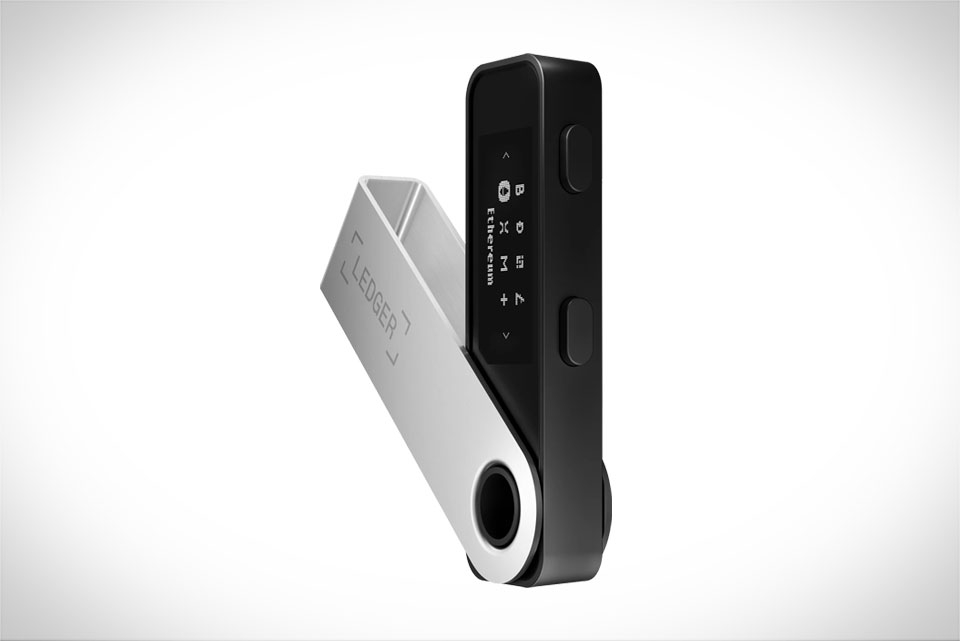
When setting up your Ledger Nano S Plus, the PIN is your first line of defense against unauthorized access. Many new users make the mistake of using obvious sequences like 1234, birth years, or sequential digits (1122 or 1212), all of which are easy targets for hackers. Instead, aim for a 4 to 8-digit combination that mixes numbers you’ll remember but others won’t. For example, instead of your 1990 birth year, use a sequence tied to a specific personal memory: like the total of your first concert ticket ($82.74) rounded to integers, making it 8274, or add a small twist like a lucky number to make it longer, such as 82745. Avoid reusing PINs from other accounts; even if your email is compromised, this PIN stays unique to your wallet. Also, never write the PIN on the same paper as your recovery phrase—separate storage is non-negotiable.
Crafting a Secure 24-Word Recovery Phrase
The recovery phrase is your wallet’s last lifeline if your device is lost, stolen, or broken, so every word counts. Ledger generates a 24-word phrase by default, which offers higher security than shorter 12-word versions—don’t skip the full 24 words for convenience. When writing it down, use a physical notebook (not a notes app on your phone or computer) and write each word exactly as it appears, in the exact order the device shows. A common mistake here is misspelling words or mixing up their sequence; even one error will make the phrase useless when you need to restore your wallet. For instance, if the phrase has “canyon” but you write “cannion,” you’ll get a permanent error during recovery. Never share this phrase with anyone, not even Ledger support—they will never ask for it. Storing it digitally (like a cloud note or photo) is a huge risk, so opt for a dedicated metal backup plate if you want long-term protection against fire or water damage.
Avoiding Fatal Setup Mistakes During Entry
The setup process has several critical steps where small slips can cause irreversible issues. When entering your PIN for the first time, the device will prompt you to confirm it—pay close attention to the order of digits; don’t hit the wrong button by accident. If you enter the wrong PIN three times, the device locks temporarily, but after 10 wrong attempts, it will erase all data permanently, leaving you with no way to access your funds. Another big mistake is skipping the mandatory step to verify your recovery phrase. You must go back and confirm specific random words from the generated phrase to ensure you wrote them down correctly. Many users rush this step to save time, but I once had a friend who did exactly that: when his Nano S Plus died unexpectedly, he tried to restore his wallet only to find he’d mixed up two words in the phrase, costing him his small crypto stash. Don’t cut that corner.
Post-Setup Verification to Confirm Everything Works
After you finish setting up the PIN and recovery phrase, don’t just close the device—take 10 minutes to verify everything works properly. The best way to do this is to send a small test amount of crypto (like $10 worth of Bitcoin or Ethereum) to your new Ledger address, then check if it appears in the Ledger Live app. This step confirms that your wallet is correctly linked and that your recovery phrase will work when needed. You should also test the recovery process on a separate, offline device (never your main device) to ensure your backup is valid. For example, use an old smartphone or a secondary computer to install Ledger Live, then restore your wallet using the written recovery phrase. If it shows the exact same address as your original device, you know your backup is solid. If not, you can correct any mistakes before you need to access your funds for real.







