
Examining Risks, Features, and Real-World Use Cases
Core Bluetooth Security Features of Ledger Nano X
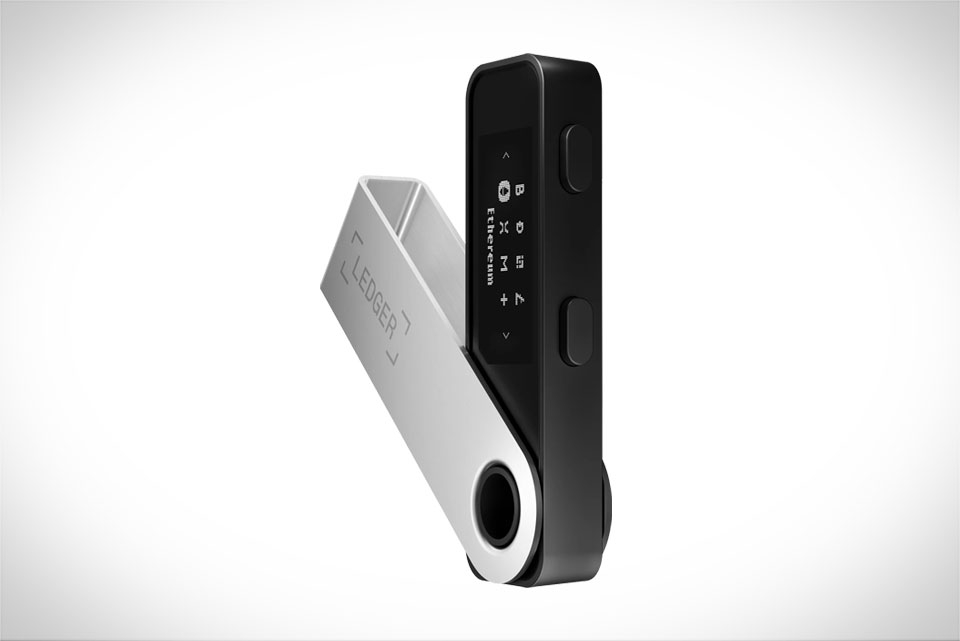
Ledger Nano X uses Bluetooth 5.0, a low-power protocol optimized for short-range, secure connections, to pair with the Ledger Live mobile app or desktop software. Unlike some hardware wallets that expose private keys over wireless links, Nano X keeps private keys strictly offline—Bluetooth only transmits unsigned transaction data between the wallet and Ledger Live app. Pairing requires physical confirmation on the device; when you pair your phone with Nano X, a unique six-digit code appears on both screens, and you must press the wallet’s right-hand button to confirm the match, preventing fake or rogue device pairing. Transactions also need a physical tap on the Nano X’s button to sign, so even if a malicious app intercepts Bluetooth data mid-transfer, it can’t complete a fund movement without your direct, physical input. This design is a key defense against remote or man-in-the-middle attacks targeting wireless connections.
Potential Vulnerabilities in Bluetooth Transactions
No system is entirely risk-free, and Bluetooth connections for hardware wallets have unique weak points. Short-range BLE means attacks require physical proximity, but advanced tools can exploit unpatched firmware to intercept pairing data. For example, if a user skips verifying the pairing code during setup, an attacker within a few feet could set up a rogue connection to snoop on transaction requests. There’s also a small risk of mobile malware: if your phone is infected with a malicious app, it might manipulate Bluetooth data to trick Ledger Live into sending fake transaction details to the Nano X. These risks aren’t unique to Ledger, but they’re worth noting for anyone relying on wireless connections, as they can lead to unauthorized fund attempts if unaddressed.
Real-World Incidents and Ledger’s Response
In 2021, Ledger disclosed a minor Bluetooth vulnerability (CVE-2021-41253) that allowed nearby attackers to access pairing keys if the Nano X was left unused for over 24 hours. The flaw was quickly patched via a firmware update, and Ledger rolled out the fix to all users within three days. A quick scan of crypto forums shows most users didn’t report issues related to this vulnerability, thanks to the timely update. For instance, a Reddit user in r/Ledger mentioned they’d used Nano X Bluetooth for over two years without problems, even after the vulnerability was fixed, as long as they kept their firmware up to date. This response highlights Ledger’s commitment to addressing wireless security gaps before they can be exploited widely.
Best Practices for Safe Bluetooth Use with Nano X
To minimize risks when using Nano X Bluetooth, follow simple but critical steps. First, always download Ledger Live from the official app stores (Google Play or Apple App Store) to avoid fake, malicious versions. Second, never skip the pairing code check: confirm the code on your phone matches the one on the Nano X’s small screen before tapping to pair. Third, only use Bluetooth when necessary; switch to USB for large transactions to reduce exposure to potential wireless interception. Fourth, keep your Nano X firmware and Ledger Live app updated regularly—Ledger pushes security patches for Bluetooth and other features every few months. Finally, avoid using Bluetooth on jailbroken or rooted phones, as these devices lack the security layers to block malicious apps from accessing Bluetooth traffic and manipulating data.







