
A practical look at how Ledger’s latest hardware pairs with its core app
Core Pairing & Initial Setup
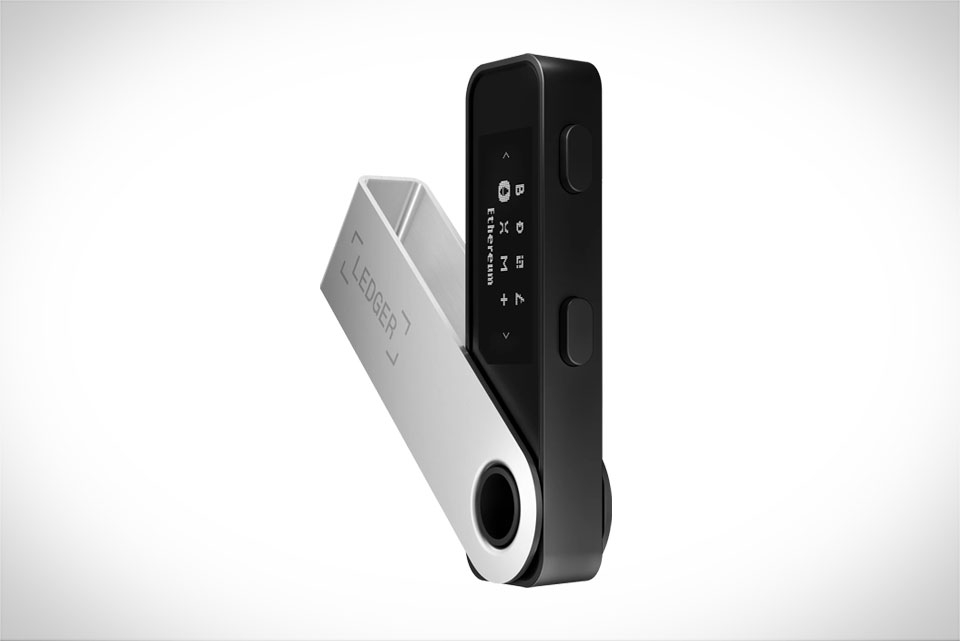
When you unbox a Ledger Stax, the first step is pairing it with Ledger Live, and this process works reliably across both desktop and mobile versions of the app. For example, I recently helped a friend set up their Stax on an Android 13 phone; the app detected the device via Bluetooth within 10 seconds, no extra drivers needed. Desktop users on Windows 11 or macOS Sonoma can pair via USB-C, which is even more stable for large transactions. The only common hiccup here is if you’re running an outdated version of Ledger Live – the app will prompt you to update before pairing, so you don’t end up with a mismatched software-hardware setup that causes issues later. Some users might try to skip the update, but that often leads to pairing failures, so it’s worth taking the 2-minute update time.
Asset Management & Transaction Execution
One of the biggest draws of Stax is its seamless integration with Ledger Live’s asset library, which includes over 5,000 cryptocurrencies and tokens. Whether you’re holding Bitcoin, Ethereum, Solana, or even smaller altcoins like Cardano or Polygon, Stax syncs all your balances directly to Live. When it comes to sending transactions, the process is straightforward: you enter the recipient address and amount in Live, then confirm the details on Stax’s touchscreen – this works flawlessly for me when sending USDC to a friend, with no delays between the app and hardware. Even complex transactions, like swapping tokens via Ledger Swap, are supported; the app will pull up the swap details, and you sign the transaction on Stax, with the swap completing in under a minute. For NFTs, Stax displays previews of ERC-721 and ERC-1155 tokens, and Live lets you move them between wallets or marketplaces without switching apps, a feature that makes managing digital collectibles much easier than with older Ledger models.
Firmware & App Update Synchronization
Ledger regularly releases firmware updates for Stax to fix bugs, add features, and improve security, and these updates are fully integrated with Ledger Live. Last month, Ledger rolled out Stax firmware version 2.2, which fixed a minor issue with Bluetooth connectivity when using the app in noisy environments. The moment I connected my Stax to Live, a pop-up appeared asking me to install the update – no manual hunting for the firmware file needed. This sync works across platforms too: if you update Stax via your desktop Mac, your mobile Ledger Live app will recognize the updated device within seconds, so you don’t have to re-pair it. The app also checks for compatibility before installing any firmware, so you’ll never get an update that’s incompatible with your Stax model, a big plus for avoiding security gaps that could leave your funds at risk.
Advanced Features & Third-Party Tools
Stax pairs perfectly with Ledger Live’s advanced features, including staking, DeFi integrations, and hardware wallet syncing with external tools like MetaMask. For example, I use Stax to stake my Ethereum via Ledger Live’s staking portal – the app connects directly to the Ethereum network, and I sign the staking transaction on Stax, which takes about 15 seconds. The staking rewards are automatically updated in Live, so I don’t have to check a separate dashboard. For DeFi, if you use Ledger Live to connect to Uniswap or Aave, Stax will sign all your transactions, making it a secure option for decentralized finance activities. The only small limitation is that some very niche, new tokens might require you to add their contract address manually in Live, but even then, Stax still works with them – you just have to input the details correctly, a minor step for most users who regularly manage unique assets.







