
Step-by-step guidance to convert cash into safe crypto via Ledger
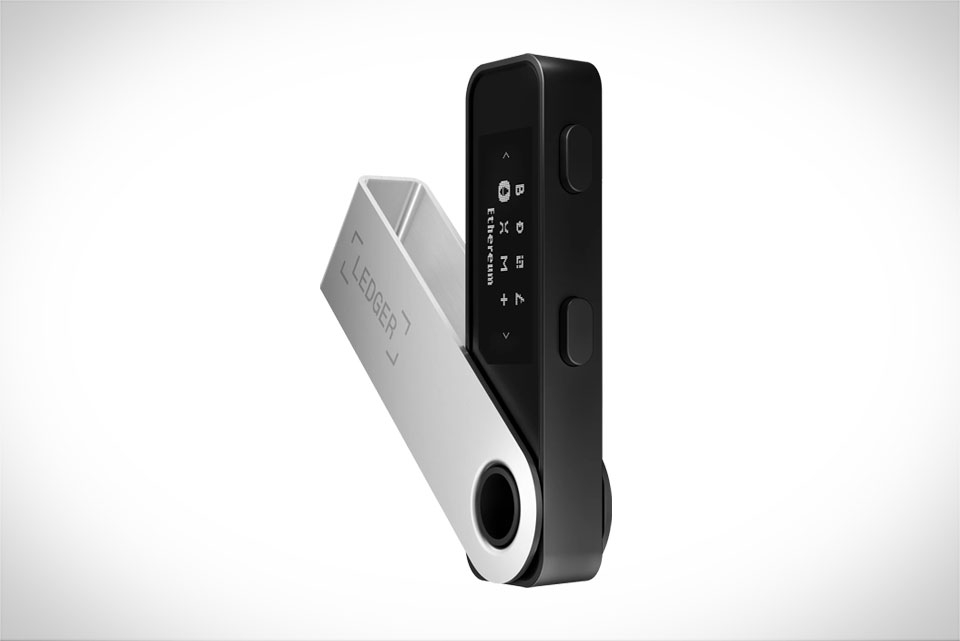
Before you start buying crypto with fiat through Ledger Live, there are a few key things to line up. First, own a Ledger hardware wallet—models like Nano S or Nano X work seamlessly with the app, and they keep your private keys offline for maximum security. Next, have a valid fiat payment method: a credit card, debit card, or bank account that’s linked to a service you trust. You’ll also need to complete basic identity verification (KYC) later, so keep a government-issued ID (like a driver’s license or passport) handy. For example, if you plan to buy Bitcoin, confirm that your payment method is eligible for Bitcoin purchases on Ledger’s supported providers to avoid delays.
First: Prepare the Necessary Essentials for Your Purchase
Once you’re ready, open the Ledger Live app on your computer or smartphone. Connect your Ledger hardware wallet using a USB cable or Bluetooth, then unlock it with your PIN code. The app will prompt you to check for firmware updates—always install the latest version, as it fixes security vulnerabilities and ensures compatibility with new crypto assets. A common mistake here is skipping the firmware update, which can lead to transaction errors. If you’re using a Nano X, make sure Bluetooth is enabled on both the device and your phone; for Nano S, a direct USB connection is more stable for large purchases.
Second: Connect Your Ledger Device to Ledger Live Properly
Head to the “Buy Crypto” section in Ledger Live, where you’ll see a list of trusted fiat-to-crypto providers like Coinify and MoonPay. Each has different fees, limits, and processing times: for instance, MoonPay charges around 4.5% for credit card transactions, while bank transfers via Coinify often have fees under 1% but take 1-3 business days. Pick the one that fits your timeline and budget. Next, select the crypto you want—Ethereum, Solana, or others—and enter the fiat amount, say $150 worth of Ethereum. You’ll then be redirected to the provider’s page to complete KYC, where you upload your ID and confirm personal details to comply with anti-fraud rules.
Third: Choose a Reliable Fiat-to-Crypto Provider in Ledger Live
After KYC approval, confirm your payment details and wait for the crypto to arrive in your Ledger wallet. Card purchases usually take a few minutes, while bank transfers may take 1-2 days. Once it’s here, double-check the balance in Ledger Live to ensure everything is correct. A critical tip: never leave your crypto on the provider’s platform longer than needed—transfer it to your Ledger hardware wallet immediately for full control of your private keys. For example, if you bought 0.005 Bitcoin, send it to your Ledger Bitcoin address (found in the app’s “Receive” tab) right away. Also, enable two-factor authentication on both Ledger Live and the provider to add an extra layer of security against hacks, and avoid using public Wi-Fi during the purchase to prevent data breaches.







