
How Ledger Live stacks up against top crypto portfolio management tools
Native Crypto Wallet Integration vs. Third-Party Sync
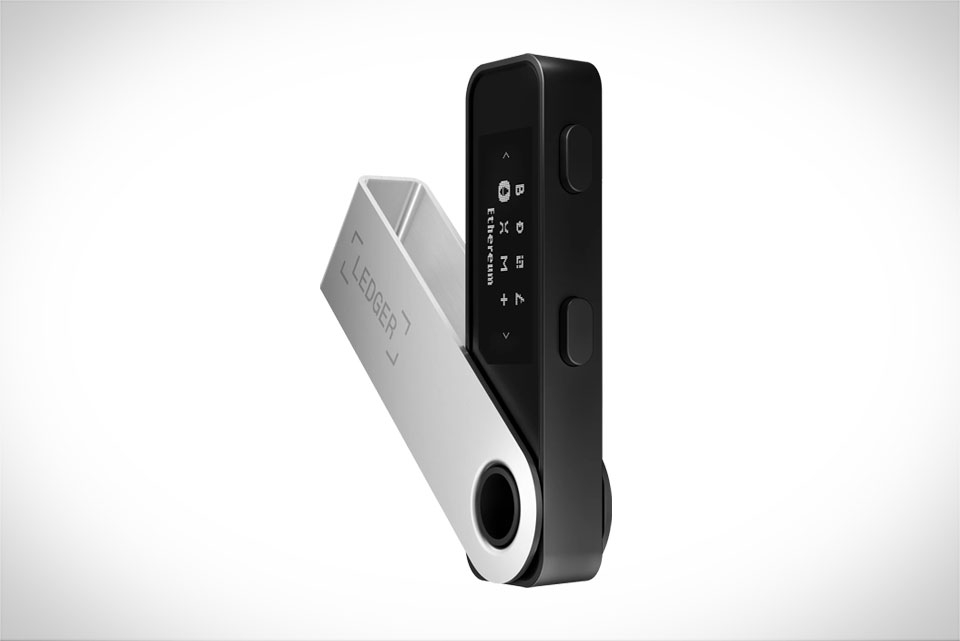
For anyone using a Ledger hardware wallet, native integration is Ledger Live’s biggest advantage over tools like CoinTracker or Delta. Unlike competitors that require users to link exchange accounts via API keys or import manual transaction files, Ledger Live connects directly to your Ledger device (like the Nano S or Nano X) via Bluetooth or USB. This means no sharing sensitive API credentials, a critical win for security-focused users. Take a user who stores 80% of their crypto in a Ledger Nano and only trades occasionally on Binance: with CoinTracker, they’d have to input Binance API keys to track trades, a step many avoid out of fear of unauthorized access. Ledger Live syncs all on-chain funds held on the Ledger device without third-party intermediaries, making the process seamless and low-risk. That said, this native lock-in is a downside if you don’t use Ledger hardware—you can’t import non-Ledger wallets directly, forcing you to rely on other tools for those holdings.
Real-Time Price Accuracy and Multi-Asset Support
When it comes to price tracking, Ledger Live delivers reliable data but with a narrower focus than generalist trackers like Delta or Blockfolio. It pulls prices from trusted oracles like CoinGecko and CoinMarketCap, ensuring consistency for major cryptos like Bitcoin and Ethereum. For niche altcoins, however, Ledger Live only supports tokens officially listed on Ledger’s chain ecosystem. Delta, by comparison, tracks over 10,000 assets, including many low-liquidity DeFi tokens not part of Ledger’s curated list. A user holding a small-cap Polygon-based governance token illustrates this gap: Ledger Live might show its price accurately if indexed on Ledger’s explorer, but if the token is newer or unsupported, you’ll need Delta for real-time pricing. Another point: Ledger Live’s fiat conversion is limited to major currencies, while Delta lets you view balances in over 150 local currencies, better for users outside the U.S. or EU.
Transaction Labeling and Tax Reporting Tools
Tax season is where portfolio trackers prove their value, and here Ledger Live falls short of dedicated tax tools like CoinTracker. Ledger Live’s tax feature only covers on-chain transactions from Ledger devices—it can’t pull data from centralized exchanges like Coinbase or Kraken, nor calculate capital gains from trading activity. For a casual hodler who only uses their Ledger to store Bitcoin, this basic summary is enough to file taxes. But for active traders executing dozens of trades monthly, Ledger Live requires manually importing CSV files from exchanges, which is time-consuming and error-prone. CoinTracker, by contrast, auto-syncs with over 300 exchanges, generates tax reports with cost-basis calculations, and handles hard forks or airdrops automatically. A day trader who trades altcoins on Binance will spend hours cross-referencing history in Ledger Live, while CoinTracker does the work in minutes.
Security and Privacy Protocols
Security is non-negotiable in crypto, and Ledger Live’s approach here is distinct from other trackers. When you connect your Ledger hardware wallet, all private keys never leave the physical device—Ledger Live only receives signed transaction details, never sensitive keys. This means the app has zero access to your funds or data, even if compromised. Most competitor trackers, like CoinTracker, store transaction history and portfolio data on cloud servers, encrypted but still vulnerable to breaches. For example, if a tracker’s server suffers a data leak, your entire portfolio history could be exposed, but Ledger Live eliminates this risk since no data is stored centrally. The tradeoff: non-Ledger assets you track via other tools (like exchange holdings) rely on those trackers’ security, so you balance convenience for those assets with cloud storage risk.







