
A step-by-step guide for safe direct swaps in Ledger Live
Prepare Your Ledger Live and Hardware Wallet Properly
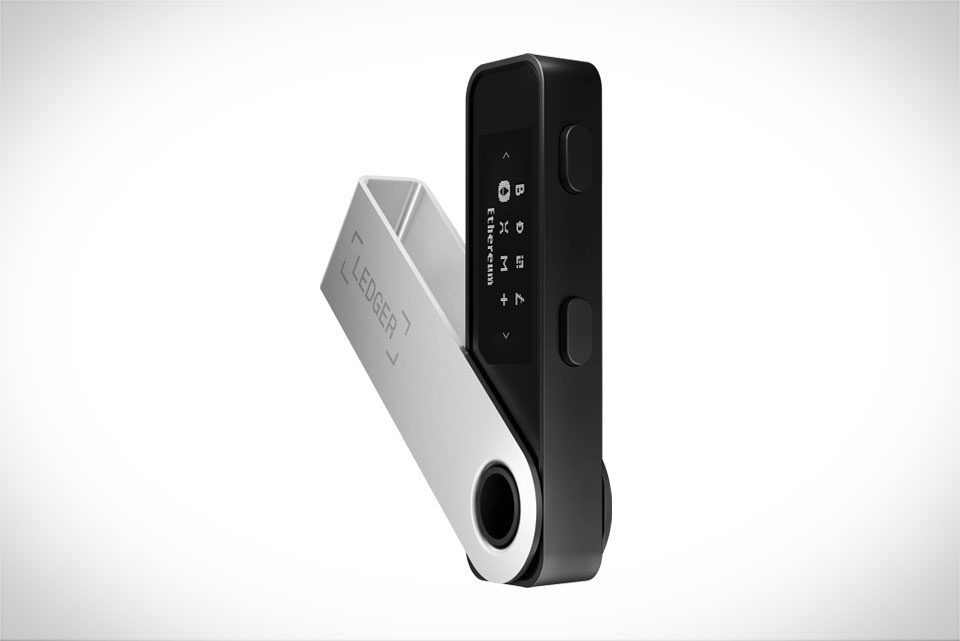
Before starting any swap, you need to set up your Ledger tools correctly to avoid security gaps. First, open Ledger Live on your desktop or mobile device and check for updates—old versions often have hidden bugs that can mess up swaps or expose your data. I learned this the hard way last month when I tried swapping BNB with an outdated Ledger app; the transaction got stuck and almost leaked my temporary wallet address. Next, make sure your Ledger hardware wallet (like Nano S or Nano X) has the latest firmware installed. Connect it via USB or secure Bluetooth, never use public Wi-Fi for this step, as unsecure networks can let hackers intercept connection details. Also, double-check that your wallet is paired correctly: the Ledger device should show a matching code on its screen to confirm you’re not connected to a fake app.
Navigate to the Built-in Swap Feature in Ledger Live
The key to direct swaps in Ledger Live is using its native swap tool, not third-party exchanges or external DEX links. On Ledger Live’s main menu, look for the “Swap” tab—this is built to work with trusted decentralized exchanges like Uniswap, so you don’t need to move tokens out of your Ledger wallet at any point. For example, last week I swapped 0.5 ETH for stablecoin USDC using this feature; I just selected “Swap” from the left sidebar, chose ETH as the source and USDC as the target, and entered the amount. Avoid clicking any external links that claim to be Ledger swaps—these are usually phishing sites that steal your private keys. The built-in swap only shows reputable pairs, so if your token is not listed here, it’s better to hold it or use a verified bridge instead of risky external platforms.
Verify All Swap Details Before Confirming
This step is non-negotiable for safe swaps. Before hitting the confirm button, go through every detail carefully. First, check the token pair and amount: make sure you’re sending the correct number of your source token and receiving the right target token. Next, review the exchange rate, gas fees (for Ethereum-based swaps), and slippage tolerance. I once set slippage to 5% by mistake and almost got scammed because the rate dropped suddenly—now I always keep slippage at 1% for stable pairs and up to 2% for volatile altcoins. Most importantly, wait for your Ledger hardware wallet to display all swap details on its own screen. Never confirm the swap only on your computer or phone; the Ledger device will show critical info like the receiving address and transaction hash, and you have to press buttons on the physical device to approve. This prevents “screen phishing” where a fake app shows wrong details while your real Ledger displays the correct ones.
Complete the Swap and Track Its Status Securely
Once you’ve approved the swap on your Ledger device, don’t disconnect it immediately. Wait for the transaction to broadcast, which usually takes a few minutes depending on network congestion. To track it safely, use Ledger’s official transaction explorer or a trusted block explorer like Etherscan—never use links from random messages or social media. After the swap finishes, check your Ledger wallet’s balance to confirm the target tokens arrived. In my recent swap, it took about 8 minutes for the USDC to show up, and the gas fee was around $18, which is standard for that time. If the swap gets stuck, don’t panic: go to Ledger Live’s “Help” section and search for common issues, or contact Ledger’s official support team via their verified website. Avoid sharing your transaction hash with strangers, as this can lead to targeted scams. Finally, make sure you don’t repeat the same swap multiple times in a short period, as this might trigger network flags or security checks that delay your transactions.







