
A practical guide for safe, hands-on crypto management
Setting Up Ledger Live for Solana Access
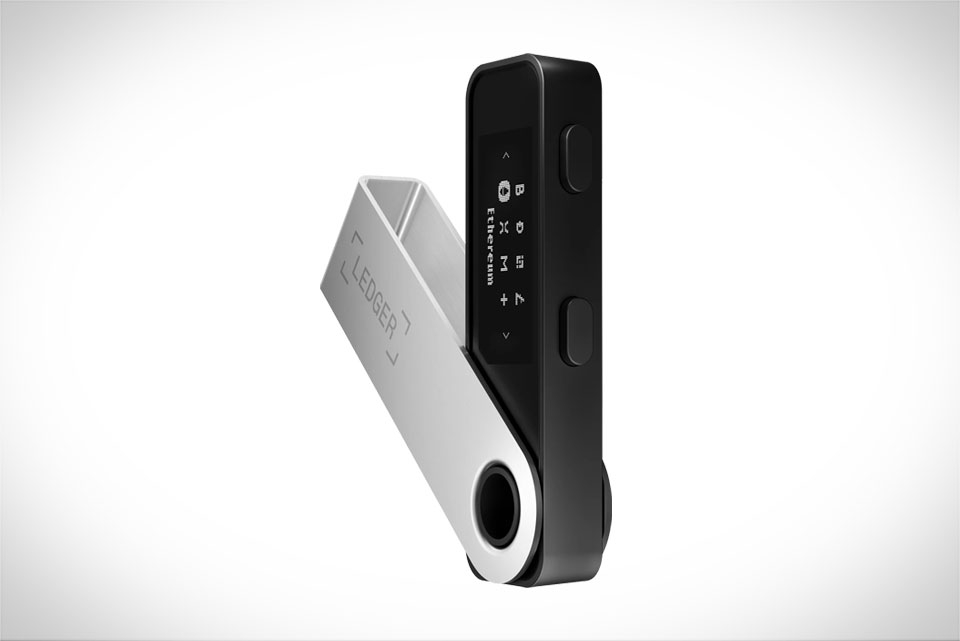
I’ve relied on Ledger Live for my Solana and SPL holdings for 18 months, and the first step is getting your setup right. Start by connecting your Ledger hardware wallet—say, a Nano S or Nano X—to your computer via USB, then open the Ledger Live app. Before installing Solana, make sure your Ledger firmware is updated; I once skipped this step and ran into sync issues that took 20 minutes to fix, so don’t rush it. Next, go to the “Manager” tab in Ledger Live, search for the Solana app, and click install. Ledger Live works seamlessly with all Ledger hardware models, so whether you have a budget Nano S or a feature-packed Nano X, the process is the same. Once installed, open the Solana app on your Ledger device, then head back to Ledger Live to add your first Solana account. You’ll need to confirm the account address on both your Ledger screen and Ledger Live—this double-check prevents typos that could lead to lost funds.
Adding Solana and SPL Tokens to Your Wallet
Once your Solana account is active, adding SPL tokens is straightforward, but there’s a small trick I learned the hard way. In Ledger Live, go to the “Accounts” tab, click “Add account,” and scroll until you see Solana. Under Solana, you’ll find the option to add tokens—click it, then toggle on “Show all tokens” to avoid missing lesser-known ones. For example, when I wanted to add Raydium (RAY) tokens last month, I initially couldn’t find it because the “show all” setting was off. Type the token symbol or name in the search bar, select the correct SPL token (always confirm it’s on Solana, not Ethereum), and follow the prompts. Ledger Live will sync the token balance automatically; if it doesn’t show up right away, wait a minute or two for the blockchain to confirm. Some niche SPL tokens might take longer to index, so don’t panic if they don’t appear instantly.
Sending and Receiving Solana Assets Securely
Receiving Solana or SPL tokens is simple: copy your Solana deposit address from Ledger Live, share it with the sender, and remind them to use the Solana network (not other chains like Ethereum). I recently received 1.2 USDC (Solana version) from a trading buddy, and I checked the address three times before confirming—one wrong character would mean the tokens are gone forever. Sending is just as safe: go to your Solana account, click “Send,” enter the recipient’s address, the amount, and set the transaction fee. Solana fees are super low (usually under $0.01), so you can use the default setting without worrying about overpaying. If you’re sending a large amount, you might want to use a slightly higher fee to speed up the transaction—though for small amounts, the default is more than enough. The key step here is reviewing the transaction details on your Ledger device—never confirm on your computer screen alone. I always glance at the amount and address on my Nano X to make sure it matches Ledger Live, then press the approve button.
Best Practices for Secure Solana Management With Ledger Live
Even with Ledger’s security, small mistakes can lead to issues. First, never share your 24-word recovery phrase—this is the only way to restore your wallet if your Ledger is lost. I keep mine in a fireproof safe, not stored digitally. Second, update Ledger Live and your Ledger firmware regularly; a friend of mine skipped a firmware update and had a minor sync error with his SPL tokens, which took days to resolve. Third, avoid using Ledger Live on public computers—stick to your personal, offline device. Also, double-check all transaction details before signing: once I almost sent 1 SOL to the wrong address because I misread the last two characters, but caught it on my Ledger screen at the last second. Finally, for large amounts, consider adding a second layer of security like a Ledger Nano X (it’s easier to verify transactions on a larger screen) instead of a Nano S. These small habits have kept my Solana holdings safe through months of active trading and transfers.







