
A practical guide for safe, long-term crypto holding
Preparing Your Ledger Nano X for Long-Term Use
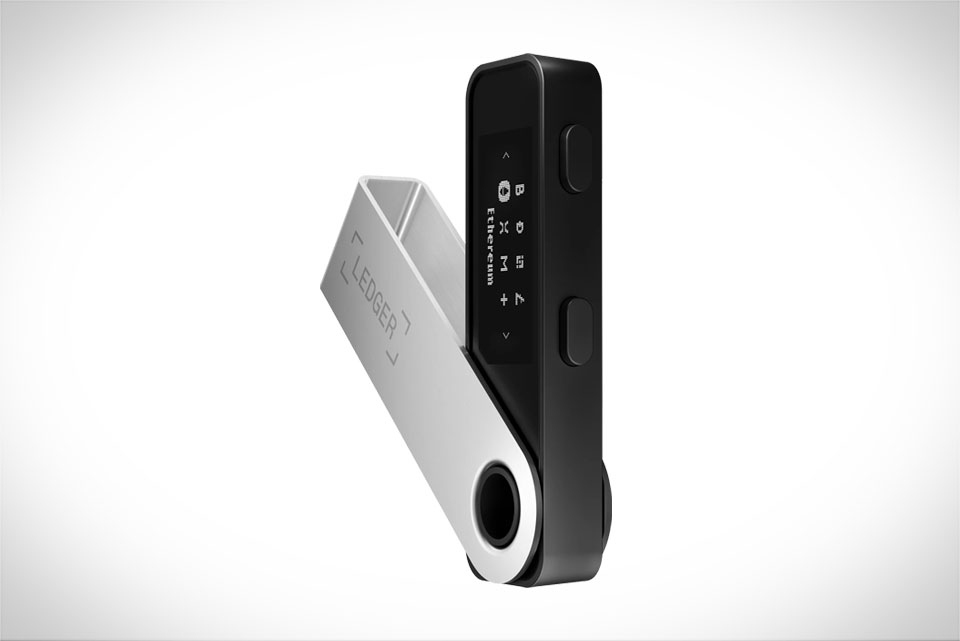
Before using your Ledger Nano X for long-term crypto storage, start with verifying the device’s integrity. When I ordered mine last year, I checked the sealed box for any signs of tampering—small tears or missing stickers often indicate a refurbished or compromised unit. Once unboxed, charge it fully and connect it to your phone or computer via Bluetooth or USB. Next, update the firmware through Ledger Live; this step is non-negotiable, as outdated firmware may have unpatched security vulnerabilities that could expose your assets. The most critical part here is writing down your 24-word recovery seed phrase on a metal backup card instead of paper. Paper can burn, tear, or fade, but a metal card survives fire, water, and physical damage. I keep my seed card in a locked fireproof safe at home, never sharing it with anyone.
Setting Up Your Long-Term Storage Portfolio on Ledger Live
After setting up the device, open Ledger Live to structure your long-term portfolio. I label different accounts to keep track of my holdings clearly: “Core Long-Term” for Bitcoin and Ethereum (70% of my total crypto), “Growth Coins” for smaller high-potential tokens like Solana or Cardano (20%), and “Stable Backup” for USDC (10%) to cover unexpected needs. Avoid storing all crypto in one account; splitting them into labeled accounts makes monitoring and adjusting your portfolio easier without risking all assets at once. When adding assets, select the correct blockchain network—Ethereum-based tokens use ERC-20, Solana uses its native network. A common mistake new users make is choosing the wrong network, leading to lost funds, so double-check every selection before proceeding.
Securely Transferring and Storing Assets for the Long Term
Transferring crypto from exchanges to your Ledger Nano X needs extra care to avoid mistakes. Last month, I transferred 0.5 ETH from a major exchange, and I spent 10 minutes verifying the address: I copied the Ledger’s ETH address from Ledger Live, cross-checked the last four characters multiple times, and confirmed the network was ERC-20. Never copy the address and immediately paste it—always compare it side by side with the device’s screen to catch typos. Once the transfer is complete, wait for at least six block confirmations (standard for BTC) before considering funds safe. For long-term storage, keep your Ledger paired only with trusted devices; avoid public computers or unfamiliar phones, as they may have keyloggers. Turn off Bluetooth when not using the device to prevent remote access attempts.
Maintaining Your Ledger Nano X Portfolio Over Time
Long-term crypto holding requires regular maintenance to keep assets secure. Every six months, I check my Ledger Live balance to ensure all funds are present and no unauthorized transactions occurred. I also update the Ledger Live app and firmware whenever a new version is released—developers fix security flaws and add features that enhance long-term safety. Your seed phrase is your last line of defense, so inspect your metal backup annually for corrosion or damage; if worn, create a new backup immediately. Never lend your Ledger to others, share your PIN or seed phrase. If you need to reset the device (e.g., forgot your PIN), use the seed phrase to recover funds only on a secure, offline device. When switching to a new phone, download Ledger Live only from official app stores to avoid fake apps that steal data. This small step saves you from losing access to your long-term holdings entirely.







