
A practical guide to managing ADA and staking on Ledger devices
Setting Up Your Ledger Device for Cardano
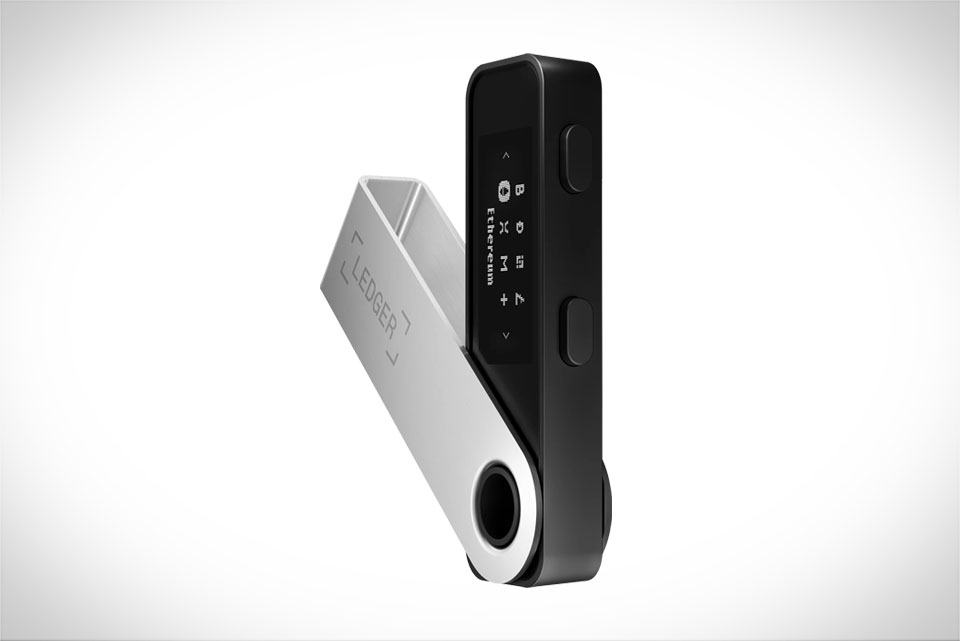
When I decided to start staking Cardano’s ADA earlier this year, I picked up a Ledger Nano S because it’s affordable and works seamlessly with Cardano’s ecosystem. As a hardware wallet, it keeps your private keys offline, which is far safer than hot wallets for long-term holdings. The first step was updating the device firmware via Ledger Live—this takes just a few minutes, and I followed every prompt closely to avoid security gaps. Next, I installed the official Cardano app from the Ledger App Store, a simple process, but a critical rule stuck with me: always verify your receiving address directly on the Ledger screen, not just on Ledger Live. My cousin almost fell for a phishing attempt where a fake site showed a different address than his device, so this step can’t be skipped. I also wrote my 24-word seed phrase on an offline metal plate, not a notes app, which felt tedious but is non-negotiable for protecting funds.
Transferring ADA to Your Ledger Wallet
Once my Ledger was set up, I needed to move ADA from Binance, where I had bought it, to my hardware wallet. I logged into Binance, selected “Withdraw,” chose Cardano as the network, and pasted my Ledger’s receiving address. A key tip here: double-check the network tag—Cardano uses “Cardano” as its network, and mixing it with Ethereum or other chains leads to lost funds. My friend made this mistake last quarter, and it took three weeks to get his funds back from Binance’s support team. Binance charged a small withdrawal fee of ~0.2 ADA, which was worth it for security. After sending, I waited for around 5 confirmations (each takes ~2 minutes, total ~10 minutes) and checked Ledger Live to confirm the ADA arrived in my wallet. This process was smoother than I expected, thanks to clear guides on Ledger’s official site.
Delegating Stake for Consistent Passive Income
The main goal of setting up the Ledger was staking ADA for passive rewards. On Ledger Live, I navigated to the Cardano section and clicked “Stake” to see available pools. Cardano’s staking model lets you delegate your ADA to a community or organizational pool—you retain full control of your funds, and there’s no lock-up period, so you can access your ADA anytime. I filtered pools by two key metrics: uptime (I chose a pool with 98% uptime, avoiding any with below 95%) and fees (I picked a pool with 2% fees, below the average of 3-5%). My 500 ADA delegation started earning rewards within two epochs (each epoch is ~5 days), and so far, the APY has hovered around 5.2%. That translates to ~26 ADA a year—small but consistent passive income, perfect for someone who doesn’t want to actively trade. If I need my funds back, undelegating takes ~20 days, which is a minor delay for the security of hardware staking.
Securing Staked ADA and Avoiding Common Pitfalls
Security is just as important as setup when dealing with crypto. I learned this from a Reddit user who lost 1,200 ADA by clicking a fake staking link that asked for his Ledger seed phrase—never share your seed or private keys with anyone, and only use official Ledger tools. Another risk is choosing a low-quality pool: avoid pools promising APY over 7%, which are almost always scams. I also check my staking status every month to ensure my pool is still running smoothly; if uptime drops, I can switch pools quickly through Ledger Live without moving my funds. I never store large amounts of ADA on Ledger Live directly, keeping most in the hardware wallet, and I enable two-factor authentication on all exchange accounts to add another layer of protection. These small steps have kept my staked ADA safe so far.







