
Keep your XRP safe while managing transactions effectively
Setting Up Your Ledger for XRP
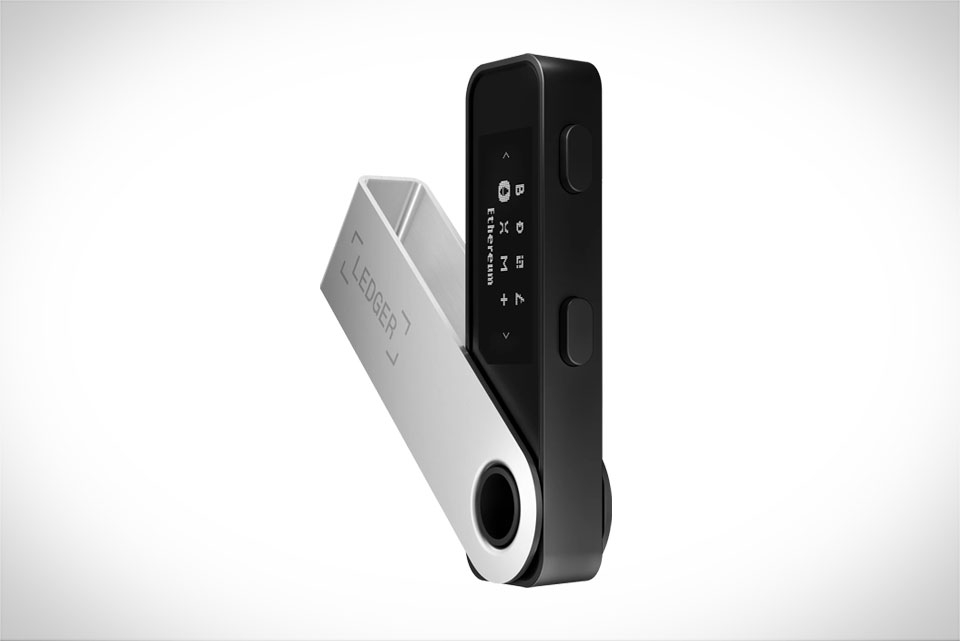
When you first get your Ledger hardware wallet—whether it’s the Nano S or the newer Nano X—the most important step is verifying its authenticity. Always check the tamper-evident seal on the box before unboxing; if it’s broken, contact Ledger support immediately to avoid fake devices that can steal your keys. Once you unbox, set up Ledger Live on your computer or mobile app, then connect your Ledger device via USB or Bluetooth. Next, update the firmware to the latest version—this fixes security vulnerabilities and ensures compatibility with the XRP Ledger (XRPL). When I set up my Nano S last year, I skipped the firmware update once and couldn’t connect to the XRPL, so I learned to never rush this step. Finally, add XRP as an asset in Ledger Live; the app will automatically detect the correct XRPL network, so you don’t have to manually input any settings here.
Securely Storing XRP on Ledger
Ledger’s hardware wallet keeps your XRP private keys stored offline, which is why it’s one of the safest ways to hold XRP—unlike exchanges, which are frequent targets of hacks. The first rule for secure storage is never share your 24-word recovery phrase. A friend of mine lost 1,200 XRP when he wrote his phrase on a sticky note and left it on his office desk; a cleaner found it and drained his account. Instead, store the phrase on a metal recovery sheet, which is fire and water resistant, and keep it in a secure place like a home safe. You should also enable Ledger’s passphrase protection (the “25th word” feature). This adds an extra layer: if someone gains access to your recovery phrase, they still can’t access your XRP without the unique passphrase you set. Another key tip: never keep large amounts of XRP on an exchange. I once left 500 XRP on a crypto exchange for three months, and when I tried to withdraw, network congestion made fees jump to $15, so moving it to my Ledger saved me money and gave me full control.
Step-by-Step XRP Transactions via Ledger
Making XRP transactions with Ledger is straightforward, but you have to follow the steps carefully to avoid mistakes. Start by connecting your Ledger device to Ledger Live and unlocking it with your PIN. From the asset list, select XRP, then click the “Send” button. Next, enter the recipient’s XRP address—always double-check this, because XRPL addresses are case-sensitive and even one wrong character can send your funds to the wrong place. I once typed an extra “s” in an address when sending to a friend, and while the XRPL allowed me to reverse the transaction (for a small fee), it took 24 hours to fix, which was a hassle. Then, input the amount of XRP you want to send. For the transaction fee, stick to the recommended amount unless you need the transaction to process faster (higher fees prioritize your transaction). The most critical step here is confirming the transaction on your Ledger device, not on your computer screen. Never trust the screen alone—always check the recipient address and amount on the Ledger’s small display, then press the confirm button. After that, wait a few seconds for the XRPL to process the transaction; standard fees usually take 3-5 seconds to settle. Last month, I sent 100 XRP to a family member, confirmed all details on my Ledger, and it arrived in their wallet in less than 10 seconds, no issues at all.
Common Mistakes to Avoid
Even with a Ledger, XRP users can make costly mistakes. The biggest one is forgetting the XRPL account reserve. Every XRPL account needs a reserve of 10 XRP to stay active—this prevents spam on the network. If you send all your XRP, including the reserve, your account will be disabled, and you won’t be able to receive incoming transactions. My cousin learned this the hard way: he sent all his 20 XRP to another wallet, leaving zero reserve, and had to wait three days to add 10 more XRP to reactivate his account. Another mistake is using random online XRP address generators. These sites can create addresses linked to malware, so your keys might be stolen before you even use the address. Always generate addresses directly in Ledger Live or on your Ledger device itself. Finally, never send XRP to an exchange without a memo. Exchanges use memos to identify your account; without one, they can’t credit your deposit. I once sent XRP to Coinbase without a memo, and it took a week of back-and-forth with support to get my funds added to my account. These small mistakes can lead to big headaches, so always double-check every detail before confirming a transaction.







