
A step-by-step guide to recovering your crypto assets without panic
Act Immediately to Lock Your Linked Online Accounts
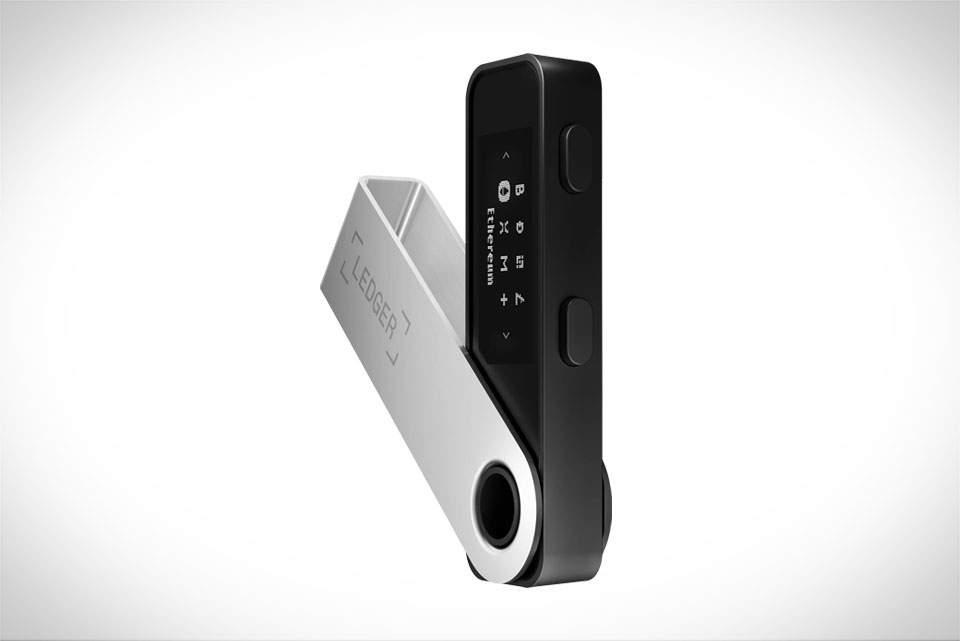
Let’s start with the most critical first move: don’t wait. If your Ledger wallet is missing—whether it got stolen, left in a taxi, or misplaced at a café—your top priority is securing any online services linked to your Ledger Live account. For example, if you used your Ledger to access a decentralized exchange like Uniswap or a centralized platform, log into those accounts right away and check for unauthorized access. Last year, a crypto acquaintance of mine left his Ledger Nano X in a bar; he realized it 10 minutes later, but when he tried to backtrack, it was gone. The worst part? He had forgotten to enable two-factor authentication on his Ledger Live, and a scammer tried to log in. Luckily, he changed his password instantly and locked the account, preventing any transfers. Also, make sure your Ledger Live app on your phone or computer is logged out if it’s saved on a public device, to stop someone from accessing your linked addresses.
Search for Physical Copies and Nearby Locations
Before jumping to conclusions that your crypto is gone, do a thorough physical search. Ledger wallets are small, so it’s easy to misplace them in pockets, bags, or between couch cushions. I once found my old Ledger Nano S under the seat of my car after a week of panicking. Beyond your personal space, check places you’ve been recently: the last café you visited, your office, a friend’s house where you used it. If you think it’s stolen, ask local security or the business where you lost it to hold onto it for a few days—many people turn in found hardware wallets. Remember: your crypto isn’t stored on the Ledger device itself, it’s protected by your 24-word recovery phrase. So even if the physical wallet is gone, your assets are safe as long as your recovery phrase is secure and you haven’t shared it with anyone.
Use Your 24-Word Recovery Phrase Properly to Restore Access
This is the most important step to actually get your crypto back. The 24-word phrase is your master key—write it down on a metal card, not paper which can burn or tear, and store it in a secure place like a home safe or a safety deposit box. If you have the recovery phrase handy, don’t rush when entering it. A friend of mine made the mistake of typing the words out of order once, and it took him three days to find the right sequence (he had written the phrase twice, so he cross-checked both copies). To restore access, download the Ledger Live app on a new device, select “Restore from recovery phrase,” and input each word exactly as written, in the correct order. Never share this phrase with anyone—Ledger support will never ask for it, so if someone claims to be from Ledger and asks for your recovery phrase, it’s a scam.
Contact Ledger Support for Advanced Issues
If you can’t find your physical wallet and your recovery phrase isn’t working, which is rare but possible if you have a typo or damaged phrase, reach out to Ledger’s customer support. They can help with verifying your device ownership and guiding you through the restoration process. When you contact them, be ready to provide proof of purchase like the original receipt and your device’s serial number, which you can find on the original packaging if you still have it. Another case: a user I follow on Reddit lost his Ledger during a move, and his recovery phrase written on paper got thrown away. He contacted Ledger support, showed the original order confirmation for his wallet, and they helped him reset access using the device’s unique ID—though this process took about two weeks. Avoid third-party recovery services that charge huge fees; Ledger’s official support is free and reliable.







