
Stake crypto securely while keeping private keys offline
Pre-Staking Prep: Secure Your Ledger Foundation
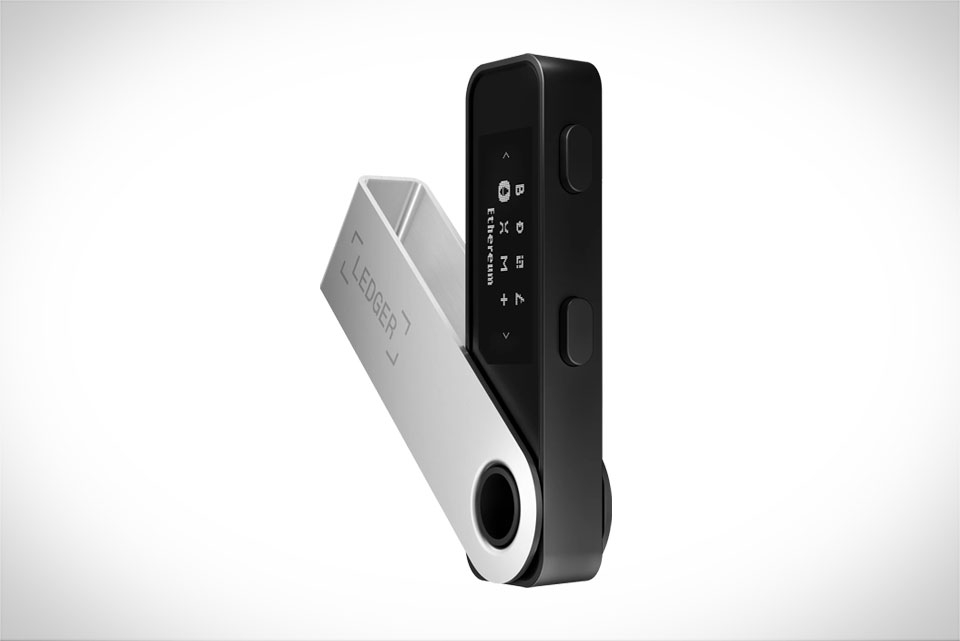
Before you even think about staking, confirm your Ledger device is in tip-top shape. Start by updating Ledger Live to the latest version—outdated software often has security gaps scammers exploit. Next, check your Ledger Nano S or X firmware: go to Settings > About on your device to see if an update is pending, and install it only via the official Ledger website, never third-party links. Avoid unapproved staking apps; always use Ledger’s built-in Stake tab in Ledger Live. A quick tip: Test with a small amount first, like 0.1 ETH, before committing larger sums to get comfortable. Last week, a colleague tried staking with a random app he found online and lost funds, but switching to Ledger’s official flow fixed that.
Picking a Trustworthy Staking Pool
Not all staking pools are equal, so do your homework. Look for pools with 2+ years of operation and uptime above 99%—you don’t want your staked funds offline and missing rewards. Check commission fees, which range from 5% to 20%: lower fees aren’t always better, as some cheap pools hide slashing penalties. Slashing protection is non-negotiable: confirm the pool offers this so you won’t lose funds if your node goes offline unexpectedly. For example, Ethereum stakers often choose Rocket Pool or Lido for their strong security and transparent fees. If staking Cardano, pick a pool with over 10 million ADA staked to avoid centralization risks and ensure reliability.
Step-by-Step Staking on Ledger
Once prepped and pool-selected, follow these exact steps to stay safe. Connect your Ledger to your computer, unlock it, and open Ledger Live. Navigate to the Stake tab, select your crypto (ETH, ADA, or SOL), click “Stake Now,” and pick your researched pool. Enter the staking amount (note minimums: 32 for ETH, 1 for ADA) and double-check all details. Here’s the most critical step: confirm the transaction on your Ledger device screen, not just Ledger Live. Scammers can fake Ledger Live’s interface, but your physical device shows the real pool address and amount. Last month, I almost fell for a phishing link cloning Ledger Live, but my Ledger screen showed a different pool address—this simple check saved me from loss.
Post-Staking Security Habits
After staking, don’t let your guard down. Keep your Ledger offline when not in use—avoid connecting to public Wi-Fi or shared computers. Never share your 24-word recovery phrase with anyone, even if they claim to be Ledger support; Ledger will never ask for it. Check staking rewards via Ledger Live only on your home network. Be aware of lock-up periods: Cardano has an 18-day lock before unstaking, so plan accordingly. A few months back, I forgot my staked ADA was locked and tried moving it for a purchase—luckily, I checked Ledger Live first and avoided a costly mistake. Finally, enable two-factor authentication for Ledger Live if you use it, adding an extra security layer.







